Building a GPU Repair Bench with AI
At the start of October I knew almost nothing about hardware. I’m a software engineer. I could tell you what a GPU does, but not why a card throws Code 43, or what “diode mode” on a multimeter is for.
So I built a bench, bought some broken graphics cards, and started learning to diagnose and repair them. AI has been a big part of how I’m learning, and this post is about the bench and how the two fit together.
If you want a good introduction to what’s involved, this video on trying to fix six dead GPUs is a great place to start.
The honest version: AI runs the scripts and reads the logs. I do the probing and the soldering, badly. So far that has cost me one burnt finger, which was quite painful.
The bench
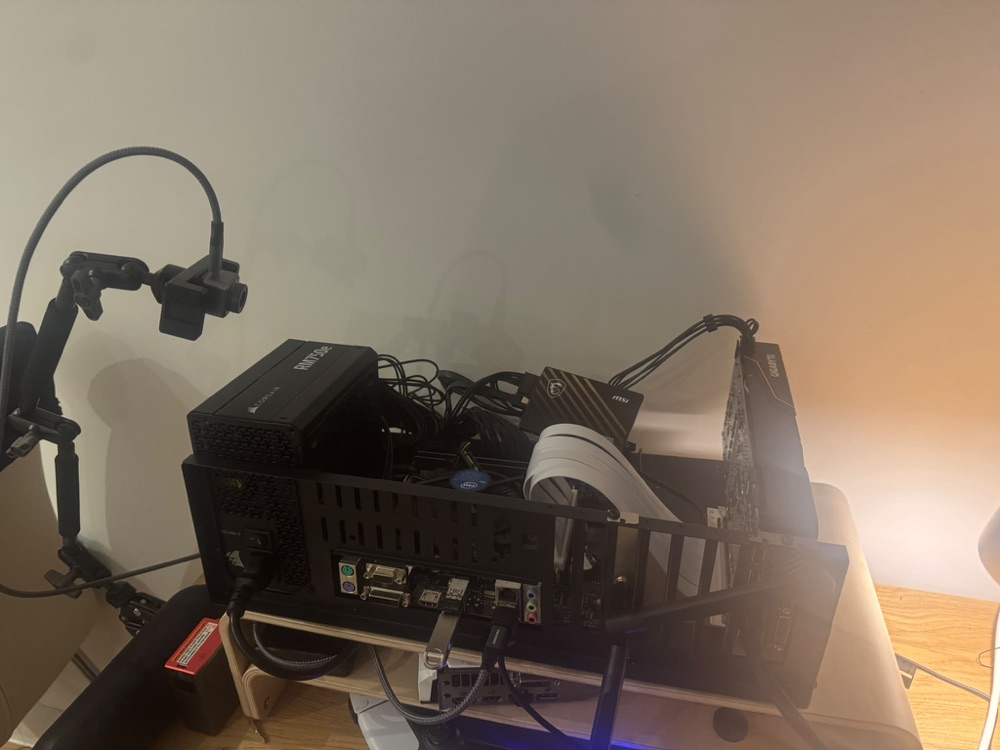 The bench: an open-frame test PC, with the card on a riser and a thermal camera on an arm
It’s an open-frame test PC, dual-booting Windows and Linux. Nothing fancy: an old motherboard from a friend, an old i5, a power supply and an SSD.
The card under test stands upright on a riser in a vertical bracket, so the back of the board faces a thermal camera on an arm. A lot of faults show up as heat, and the back of the PCB is where you can see it.
Faulty cards only ever go in this machine, never my main PC.
Seeing heat
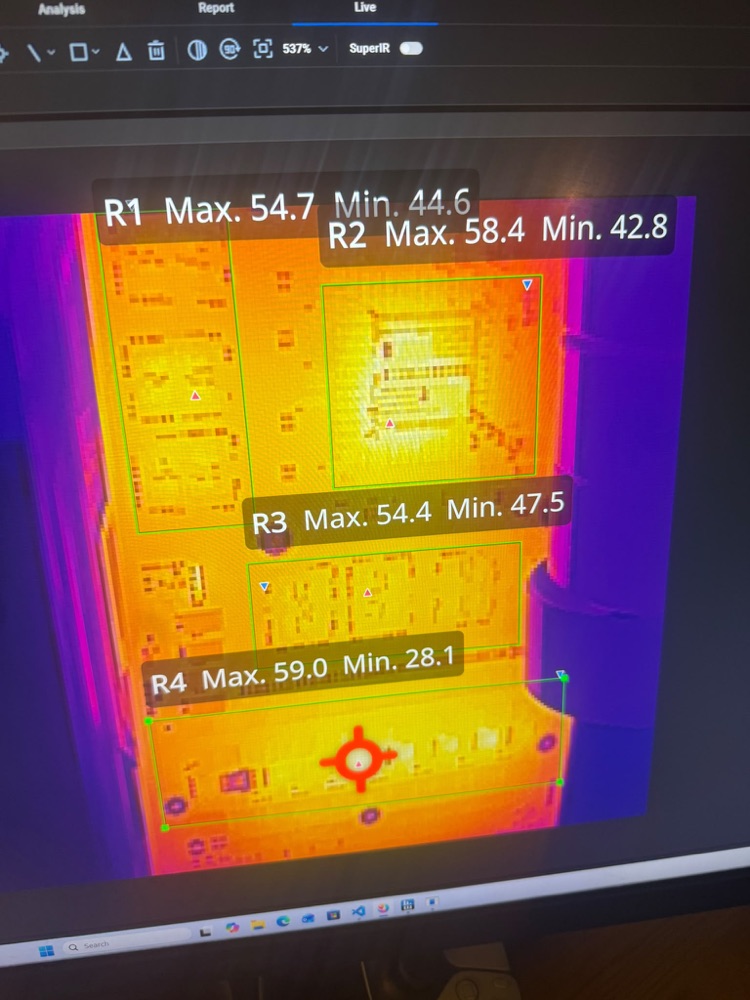 The back of a card on the thermal camera, with a box around each area I want to watch
This is where the bench and the AI meet. The camera’s software shows a live thermal image, and I draw a box around each area I care about: the core, the memory, the power stages. Each box reports its maximum and minimum temperature.
AI wrote the scripts that read those numbers during a stress test and log them alongside the card’s own sensors. So instead of watching a screen for twenty minutes, I get a log I can compare between runs, and between a card that works and one that doesn’t.
AI as a tutor
The most useful thing hasn’t been the code, though. It’s having something to ask “why?” as often as I need to.
Why does Windows say Code 43? What does it mean when Linux can see the card but the VBIOS never ran? Is that warning in the logs a fault, or just the card saving power at idle?
None of these are hard questions for someone who has been repairing cards for years. Being able to ask, then check the answer against a datasheet or the card in front of me, has made the learning curve much shorter.
You still have to fly the plane
It isn’t always right. Once, my test tool reported a stress test as running when the safety check had silently refused to start it. No harm done, but it’s a reminder that confident and correct aren’t the same thing.
You still have to fly the plane. AI can tell me where to look. Someone still has to put the probe on the right pin.
More soon
The bench is still growing. Next is automating more of it, so a card can be power-cycled and tested without me sitting next to it.
I’ll write up the repairs as they happen.